Animal Hospital LogoAnimal Hospital Wiki

Animal Hospital Anomaly List

18 confirmed anomalies across four detection layers. Learn the tell signs so you never treat a monster like a patient.

The 4-Layer Detection System

Every patient must pass four inspection layers before treatment. An anomaly can fail any single layer — you only need one red flag to reject.

Visual Layer

Spotted through the window with your own eyes.

7 anomalyies

Photo Layer

Detected by comparing the clipboard photo to the patient.

5 anomalyies

CCTV Layer

Only visible on the security camera feed.

4 anomalyies

Skinwalker Detection

The most dangerous — looks normal until CCTV reveals the truth.

2 anomalyies

Visual Layer Anomalies

AnomalyTier S

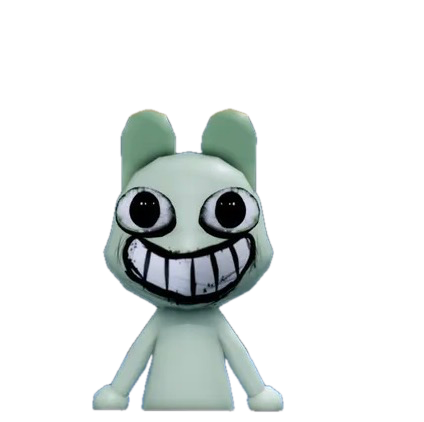

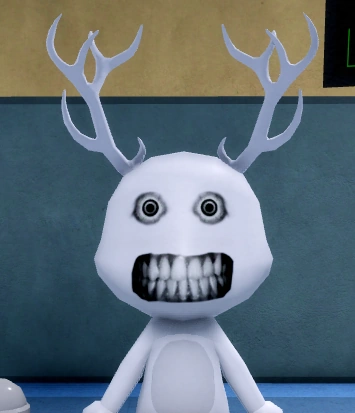
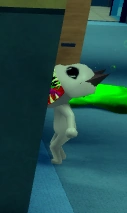
Wide Eyes & Sharp Teeth


Appearance: Eyes are unnaturally wide with sharp, predatory teeth replacing normal rabbit teeth.

Tell signs: Abnormally wide eyes, sharp/fanged teeth, aggressive expression.

How to handle: Immediately reject — do not treat. This is a clear visual-layer anomaly.

AnomalyTier A

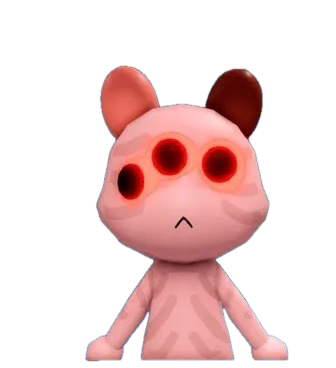
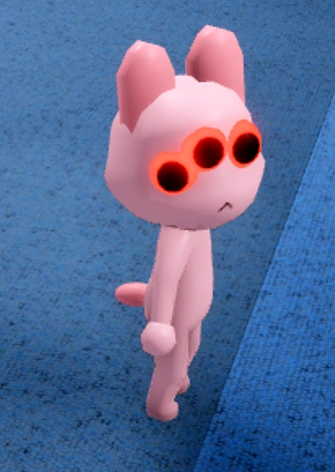
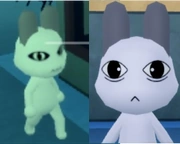
Three Eyes

Appearance: A third eye appears on the patient's forehead or between existing eyes.

Tell signs: Third eye visible on forehead, asymmetric eye placement, eye count does not match species baseline.

How to handle: Reject. Check the patient's photo on the clipboard for comparison if unsure.

AnomalyTier A

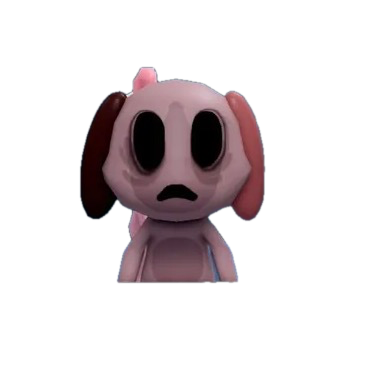
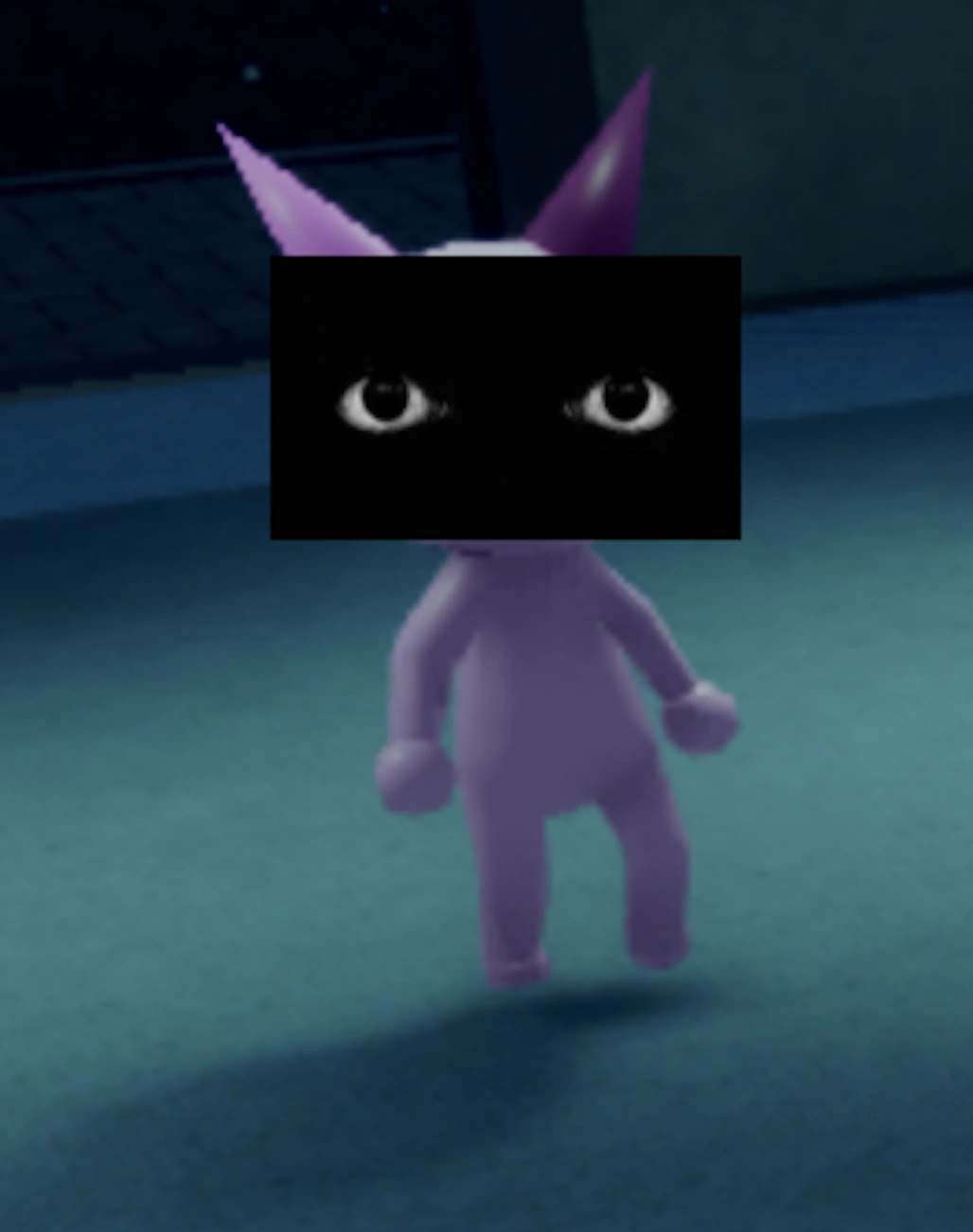
Hollow Face

Appearance: The patient's face appears hollow, sunken, or missing features like a void carved out.

Tell signs: Sunken/collapsed facial features, dark void where the face should be, missing eyes or mouth.

How to handle: Reject immediately. One of the clearest visual-layer detection anomalies.

AnomalyTier B

Unnatural Facial Appearance

Appearance: The face looks subtly wrong — proportions are off, features are distorted or misplaced.

Tell signs: Distorted facial proportions, features in wrong positions, face shape doesn't match any normal patient.

How to handle: Use the photo comparison layer to confirm, then reject.

AnomalyTier C

Twitching

Appearance: Patient twitches or jerks erratically with unnatural, mechanical-looking movements.

Tell signs: Erratic jerking movements, unnatural head/limb twitches, movement pattern different from all normal patients.

How to handle: Observe at the window for a few seconds — if twitching persists, reject.

AnomalyTier B

Staring at the Player

Appearance: Patient locks eyes on the player and tracks movement, unlike normal animals that look around.

Tell signs: Head tracks player movement, sustained eye contact, doesn't break gaze like normal patients.

How to handle: Move around the window — if eye contact follows you, reject. This is a confirmed visual-layer anomaly.

AnomalyTier C

Hunched Posture

Appearance: Patient sits hunched over with curved spine, head lowered, posture radically different from normal upright patients.

Tell signs: Curved/hunched spine, head lowered abnormally, posture doesn't match the patient's normal stance.

How to handle: Compare posture against the normal version via photo. If distinctly hunched, reject.

Photo Layer Anomalies

AnomalyTier B

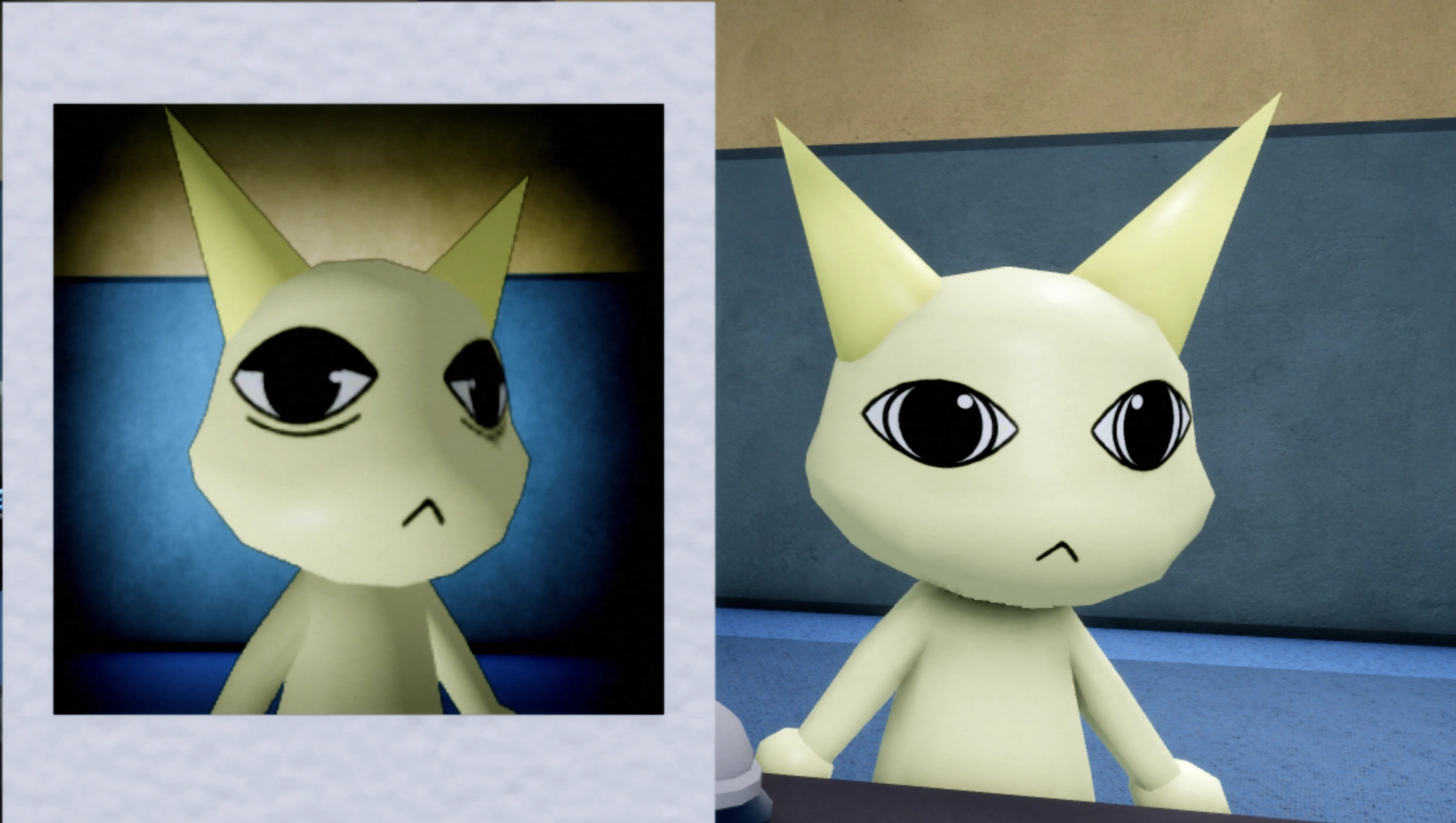
Incorrect Photo

Appearance: The clipboard photo does not match the patient — wrong species, wrong color, or completely different animal.

Tell signs: Photo species doesn't match window patient, photo color differs, completely unrelated animal in photo.

How to handle: Open the clipboard, compare the photo side by side with the window. Mismatch = reject.

AnomalyTier B

Unnatural Photo

Appearance: The photo shows the correct animal but with distorted, corrupted, or glitched visual features.

Tell signs: Photo has visual corruption, blacked-out eyes in photo, warped/distorted features in photo, color bleeding.

How to handle: Compare the photo carefully. If the photo itself looks corrupted or unnatural, reject.

AnomalyTier A

Static Photo

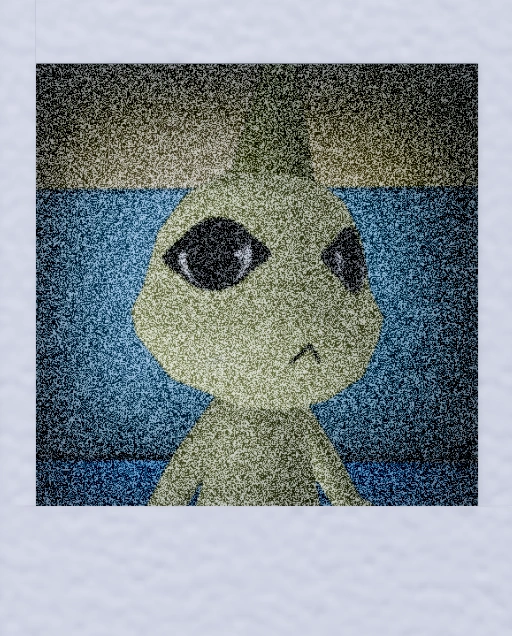
Appearance: The clipboard photo shows only static/TV snow or a completely blank image.

Tell signs: Photo replaced entirely by static/TV snow, blank or black photo frame, no identifiable patient image.

How to handle: Reject immediately. Static photo = confirmed anomaly, no further checks needed.

AnomalyTier A

Cursed Photo

Appearance: The photo has a dark, cursed aura — reddish tint, shadow overlay, or demonic visual effects.

Tell signs: Red/dark overlay on photo, shadowy aura around patient image, unnatural tinting not present in other photos.

How to handle: Trust the cursed visual effect. Reject.

AnomalyTier B

Black Eyes (Photo)

Appearance: The photo shows the correct patient but with completely black, void-like eyes.

Tell signs: Photo eyes are completely black voids, no iris or pupil visible in photo, contrast with normal patient eyes in other photos.

How to handle: Reject. Black eyes in the photo is a confirmed anomaly signal.

CCTV Layer Anomalies

AnomalyTier B

Unnatural Body

Appearance: On CCTV, the patient's body is distorted — elongated limbs, extra appendages, or wrong proportions.

Tell signs: Elongated limbs on CCTV, extra appendages visible, body proportions don't match any normal patient.

How to handle: Check CCTV before admitting. Unnatural body on camera = reject.

AnomalyTier C

Staring at Camera

Appearance: Patient stares directly into the CCTV camera — aware of being watched.

Tell signs: Patient looking directly at camera lens on CCTV, head tracking camera movement, awareness of surveillance.

How to handle: Monitor CCTV for a few seconds. If the patient stares at the camera, reject.

AnomalyTier A

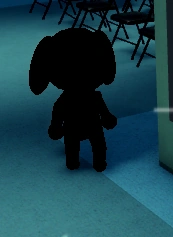
Void / Black (CCTV)

Appearance: The patient appears as a solid black silhouette or void on the CCTV feed, even though it looks normal at the window.

Tell signs: Solid black silhouette on CCTV, no features visible on camera despite being visible at window, void-like shape on feed.

How to handle: Trust the CCTV. If the feed shows a void/black figure, reject regardless of other layers.

AnomalyTier C

Twitching (CCTV)

Appearance: Patient twitches or glitches on the CCTV feed — movement may be jerky or the image may flicker.

Tell signs: Jerky movement on CCTV, video glitching/flickering around the patient, motion artifacts not present at the window.

How to handle: Compare CCTV feed against visual observation. CCTV-only twitching = reject.

Skinwalker Detection Anomalies

AnomalyTier S

Skinwalker on Cam

Appearance: On CCTV, the patient appears as a Skinwalker — a monstrous, distorted entity wearing the patient's form.

Tell signs: Normal at window and in photo, but CCTV shows a monstrous distorted entity, different form entirely on camera feed.

How to handle: Do NOT just reject. A Skinwalker must be shot with the gun. Use CCTV to confirm, then use lethal force.

AnomalyTier C

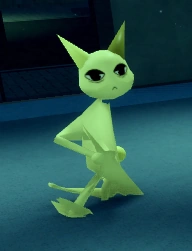
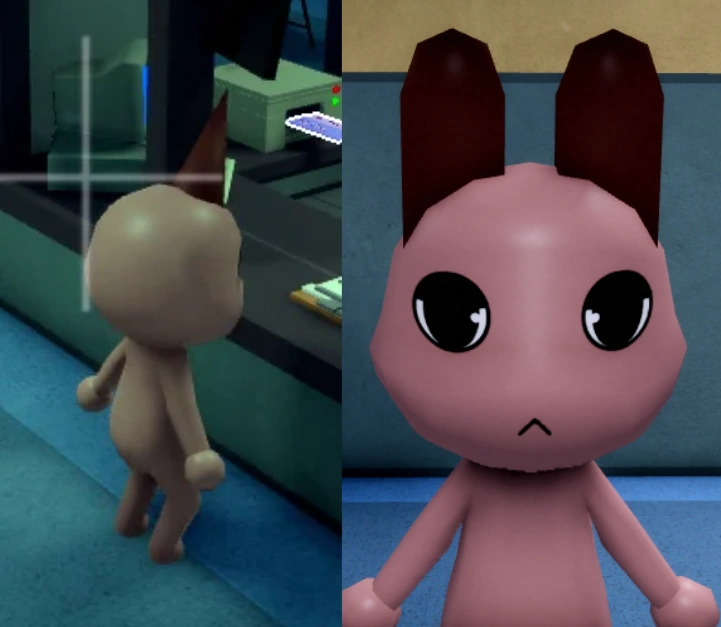
Different Ears

Appearance: The patient's ears don't match the species baseline — wrong shape, length, or number.

Tell signs: Ear shape doesn't match species, wrong ear length, wrong number of ears, asymmetric ear placement.

How to handle: Compare ear shape against the normal patient roster photo. Mismatch = reject.

Anomaly FAQ

How many anomalies are in Animal Hospital?

We track 18 confirmed anomalies across four detection categories: Visual (7), Photo (5), CCTV (4), and Skinwalker (2). New anomalies are added as the developer ships updates — the most recent batch came with the Class update.

What happens if I treat an anomaly like a normal patient?

Treating an anomaly instead of rejecting it is the core mistake the game punishes. It drains your sanity and can cause the anomaly to escalate into a Skinwalker — one of the deadliest threats. Always run the full 4-layer check before treating any patient.

What's the difference between a regular anomaly and a Skinwalker?

Regular anomalies can be rejected through the standard anomaly-handling action once you spot their tell signs. A Skinwalker perfectly mimics a normal patient through visual and photo checks — only CCTV or document inspection reveals its true form. Unlike regular anomalies, Skinwalkers must be shot to be eliminated; simple rejection does not work.

Which detection layer is the most reliable for spotting anomalies?

No single layer catches everything. Visual catches obvious signs (extra eyes, sharp teeth, black bodies). Photo catches mismatches between the patient and their clipboard image. CCTV reveals hidden distortions (void bodies, unnatural movements). Document catches paperwork discrepancies. Always use all four — an anomaly that passes visual might fail CCTV.

Can an anomaly appear on multiple detection layers at once?

Yes. Some anomalies fail multiple layers simultaneously — for example, an all-black body anomaly (visual) may also show as void/black on CCTV. Cross-referencing layers gives you higher confidence in your identification. Treat a patient only when it passes ALL four layers.

Do new anomalies get added with game updates?

Yes. The developer Animal Anomaly adds new anomalies through major updates. The recent Class update introduced new threats, and more are expected. We track and document each new anomaly as it is confirmed by the community. Check back after major updates for new entries.

What's the rarest anomaly type?

Skinwalker-type anomalies are the rarest and most dangerous. Only 2 are confirmed: the Skinwalker itself (detected via CCTV) and Different Ears (detected via document inspection). They are rare because they pass visual and photo checks, requiring deeper inspection to expose.